

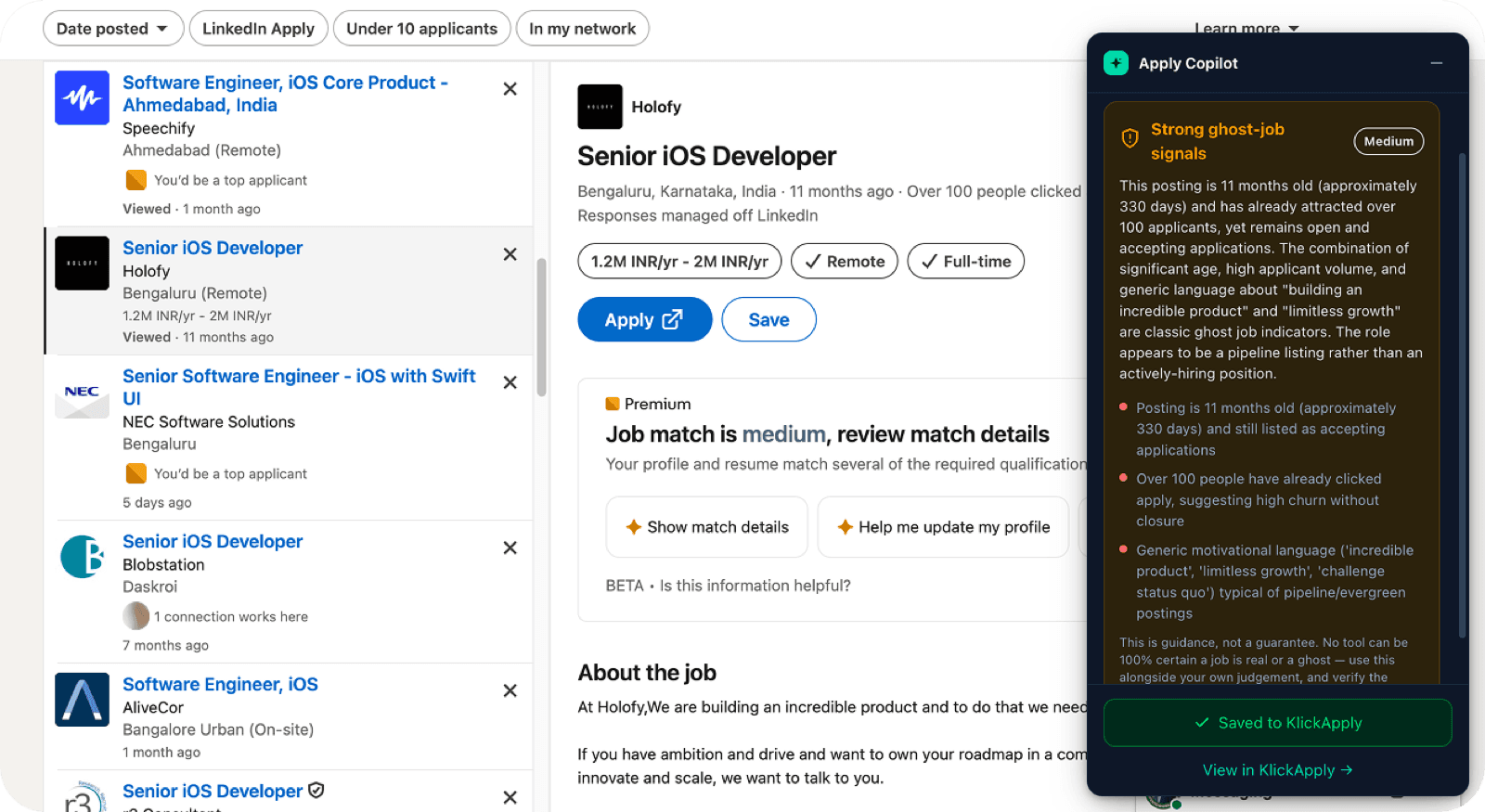
Never apply to a fake job again.
Check any job. Save it. Tailor your resume, in one click.
Apply Copilot checks any job, on any site, for ghost & scam red flags, then saves it and tailors your resume, right in your browser. Free.
Free to start. No credit card, no phone number.
50+
Job sites supported
1-click
Save & tailor
Free
To check any job
Everything, right where you’re job hunting
Your search lives on a dozen sites. Now KlickApply does too.
See if a job is real, instantly
Open any job and Apply Copilot reads it automatically, then tells you in plain English whether it looks genuine or shows ghost-job / scam warning signs. Always free.
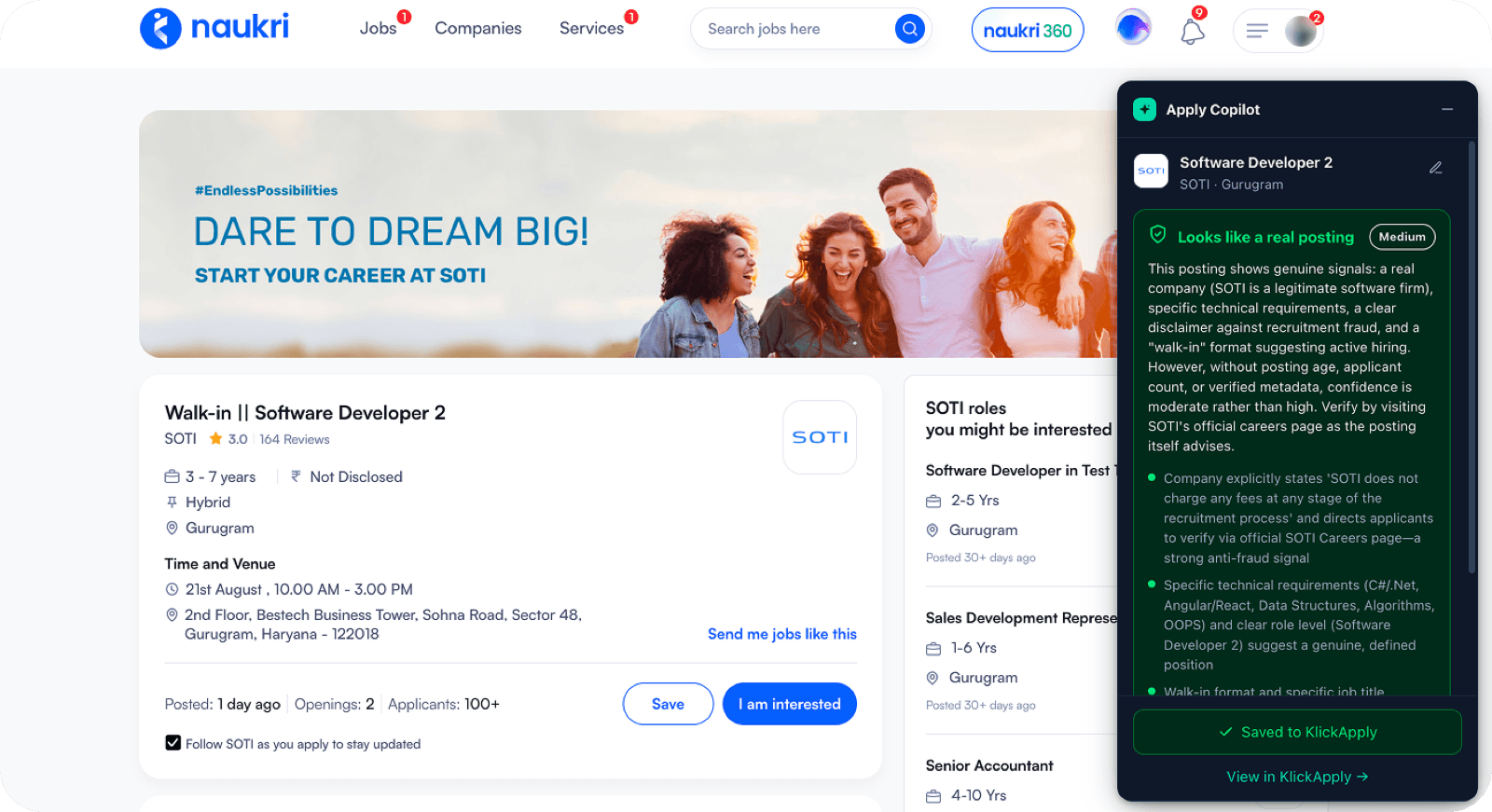
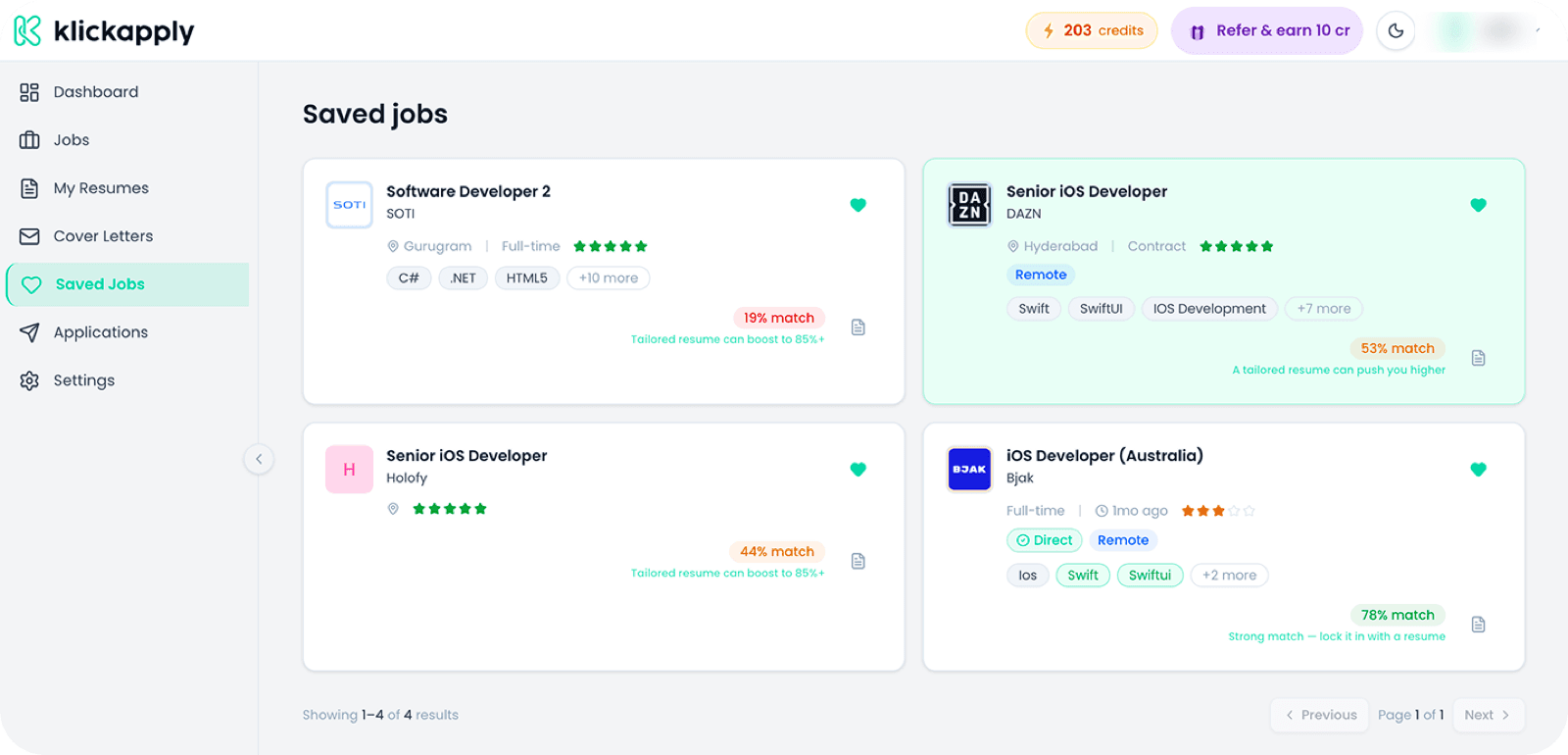
Save it, cards fill themselves in
One click saves any job to your tracker, and AI fills in the company logo, skills, and a real match score for you. No more bare, half-empty saved jobs.
Tailor your resume & cover letter
Generate an ATS-ready resume or a matching cover letter for that exact role, built from your profile, in a single click, without leaving the job page.
Catch hiring posts in your feed
So much hiring happens as “we’re hiring, DM me” posts. Apply Copilot spots them, checks the recruiter, saves the role before it scrolls away, and drafts your reply.
Recruiter · Talent Acquisition
2h · LinkedIn feed
“We’re hiring 2 React developers, 3+ yrs, Remote. DM me or comment ‘interested’ 👇”
Works on every job site
LinkedIn, Naukri, Indeed, Wellfound, Foundit, and virtually any company careers page. One extension for your whole search.
 LinkedIn
 Naukri
 Indeed
 Wellfound
 Foundit
 Glassdoor
 Instahyre
It catches the jobs that waste your time.
A real catch: a listing 11 months old with 100+ applicants, still “open.” Apply Copilot flagged it as a ghost job in seconds, so you skip it and spend your energy where it counts.
Questions, answered
Is the extension free?
Yes. Installing it and checking any job for ghost-job and scam red flags is 100% free, forever. Generating tailored resumes and cover letters uses KlickApply credits (you get free credits when you sign up).
Which job sites does it work on?
LinkedIn, Naukri, Indeed, Wellfound, Foundit, and virtually any company careers page. A universal reader plus AI lets it understand almost any listing, not just a fixed list of sites.
Do I need a KlickApply account?
The ghost/scam safety check works without signing in. Saving jobs and generating resumes or cover letters needs a free KlickApply account.
Is my data safe?
Yes. The extension only reads the job you’re looking at, and only when you use it. There’s no background tracking, no scraping, and we never sell your data.
How do I install it?
It’s coming to the Chrome Web Store. Join early access and we’ll email you the moment it’s live. One click to add it to Chrome.
Stop wasting applications on dead jobs.
Add Apply Copilot to Chrome and turn every job page into a smarter, safer apply.
Free to start · no credit card · no phone number